This project is closed source for confidentiality reasons because the codebase has come into contact with experimental models.
Motivation
I design and run a "table-top" game (really "desktop", as it's over the Internet) where the game's rules are contained in a master Google Doc, and each player's character is contained in a separate doc. One common operation in the running of the game is to select a section out of the rules pseudo-randomly (representing an ability the character could learn) and then add this to the character's document.
The pseudo-random selection step is quite involved. It involves a weighted selection of a category ("technique"), then a subcategory ("school"), then an ability from that subcategory. Further, we shouldn't select an ability the character already has learnt, or has already drawn, or has gotten rid of, and abilities come in different tiers that require the character to have satisfied some non-trivial lower-tier prerequisite criteria. In the game's prototyping stage, this randomisation was done manually, where I would generate a random number or roll dice, but this quickly becomes a lengthy process. It also required looking between multiple documents to determine what the character already had, and to paste the final selected ability section into the character's document.
Some means to automate this was necessary. Adding to the complexity, the ruleset and documents are constantly evolving, and some aspects of the selection necessarily require some "soft" human element to them, where the criteria cannot easily be laid out programmatically.
Alternatives?
There were a number of simpler alternatives that fell short in a variety of ways. The first thing that comes to mind is to simply store the abilities in a spreadsheet, rather than a Google Doc. This looks great at first because it stays in the google ecosystem (backups, history, access anywhere) and allows for randomised selection. However, it has its own host of problems. One problem instrinsic to Sheets is that much of the process is too complex to do cleanly in Sheets, and while Sheets can do randomisation, it's pretty clunky. There were some further problems that turn out to be common to almost all alternatives, which were the justification for creating this system.
Firstly, there would be a massive up-front conversion step, where all the abilities would have to be reformatted. Secondly, Google Docs is very close to the ideal format for editing the rules. It is easy to view a bunch of related abilities at once to see what is represented and what is missing, and having the formatting of a word processor makes them easy to view and understand. Moving to e.g. Sheets means that the rules now have to be edited inside spreadsheet cells, which is ugly and inconvenient for further modifications. Finally, this introduces a new logistical difficulty, where whatever plaintext/cell output is produced by the selector needs to be formatted properly in the character's document. In practice, this would mean that after pasting the spreadsheet output, I would need to apply the section heading formatting, colour the text in multiple places (a slow operation), and bold the relevant keywords.
The second alternative, a simple python script for randomisation running in colab and hooked up to spreadsheet data, runs into mostly the same issues. I used this as an intermediate step, where it would perform some of the weighted randomisation steps, but then you would go to the document itself to fetch the rules, and it would not track character-specific details.
The Key Feature
When you paste text from one Google Doc into another, the formatting is preserved. How does it do this? Your clipboard contains text in multiple formats. Normal text is stored in text/plain, but applications can read and write to other MIME types, such as text/html. Docs uses the latter to paste between different Docs, and also stores the former so you can paste into other applications. However, it is possible to put your own data into this part of the clipboard in an external program to have Docs read it. (Indeed, many other applications do this, so if you paste text into Docs, it will often look out of place as it matches the formatting of the original application).
Thus, we can get around the issue with the final step of sending the ability to the character by writing an application that will put the desired text into the clipboard in the right way, with the precise HTML formatting to have it perfectly match the source document.
The Library
For this purpose, I wrote a python library, gdoc_sections. It handles all of the important interactions with Google Docs. Firstly, it can authenticate with Google's API and fetch the current state of the document to parse it. Secondly, it can extract all the ability sections and categorise them based on the document surroundings. Thirdly, it preserves all the formatting from the original rules document. Finally, it can format these extracted sections in the appropriate way to paste them back into Docs, or to display them on the web.
Read more about the library here.
The Main Application
With these problems solved, I wrote a dashboard to manage the game. It uses the extraction library to pull all the sections out of the main rules document. It stores them in a SQLite database after parsing out some of their properties (for example, abilities have an integer cost that defines their tier). One advantage of the database is that it is robust to changes in the rules. If the text of the ability is changed in the master document, a resync can recognise this as the same ability based on its name. If the name itself changes, it can identify an ability for which the name no longer appears where the text matches, and failing that, present best-guess options based on the section surroundings for manual verification.
With a database in place, tracking characters becomes simple. Characters can be added to the database and linked to a Google Doc, from which their current ability sets are synchronised. Using this, we track what the character currently has available to determine what random draws the character is eligible for. This also allows for detecting when parts of a character's document have gone stale because the main rules have changed since they were added to the character.
On top of this, we can now track metadata. For example, we can track when a character acquires an ability. We can track the source of it: was it acquired at character creation, acquired through the standard randomisation process, given as a reward, or something else?
Showcase
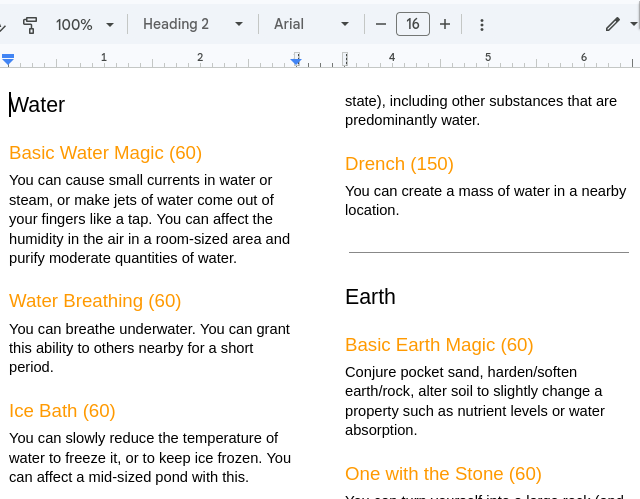
Here is an example of the process end-to-end in the dashboard. We have some abilities from the rules document that look like this:
We can put the Docs link in here, and configure a few things about the system, such as the user-facing terms for the categories, to match the theme of the particular game:
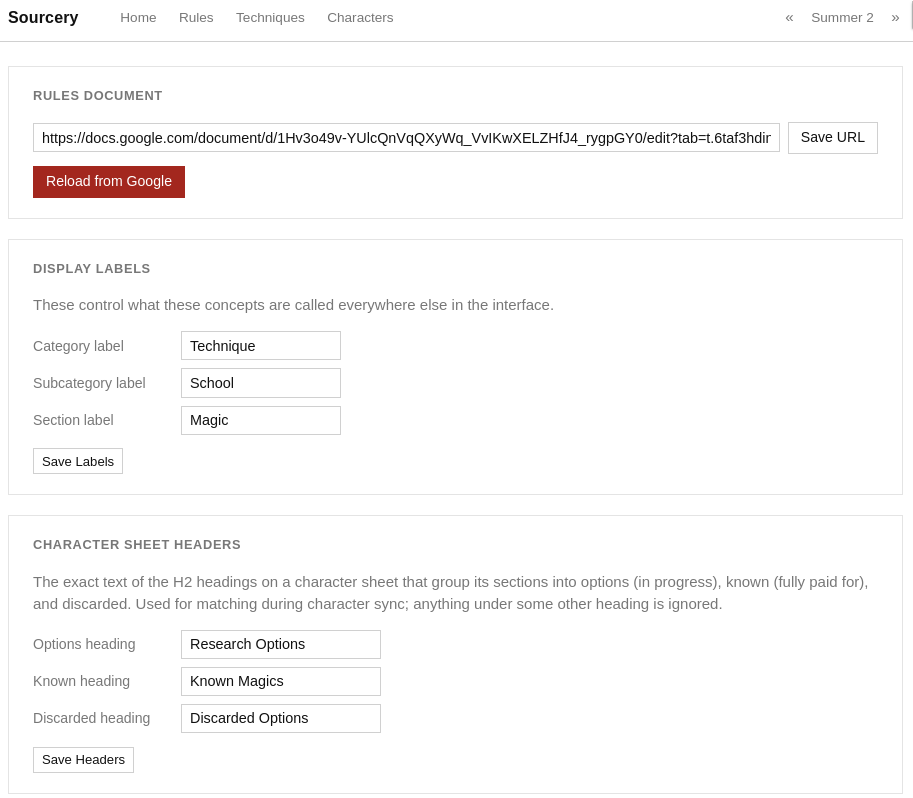
Further down this screen there are more rules defined, such as the parameters for the prerequisite tier logic.
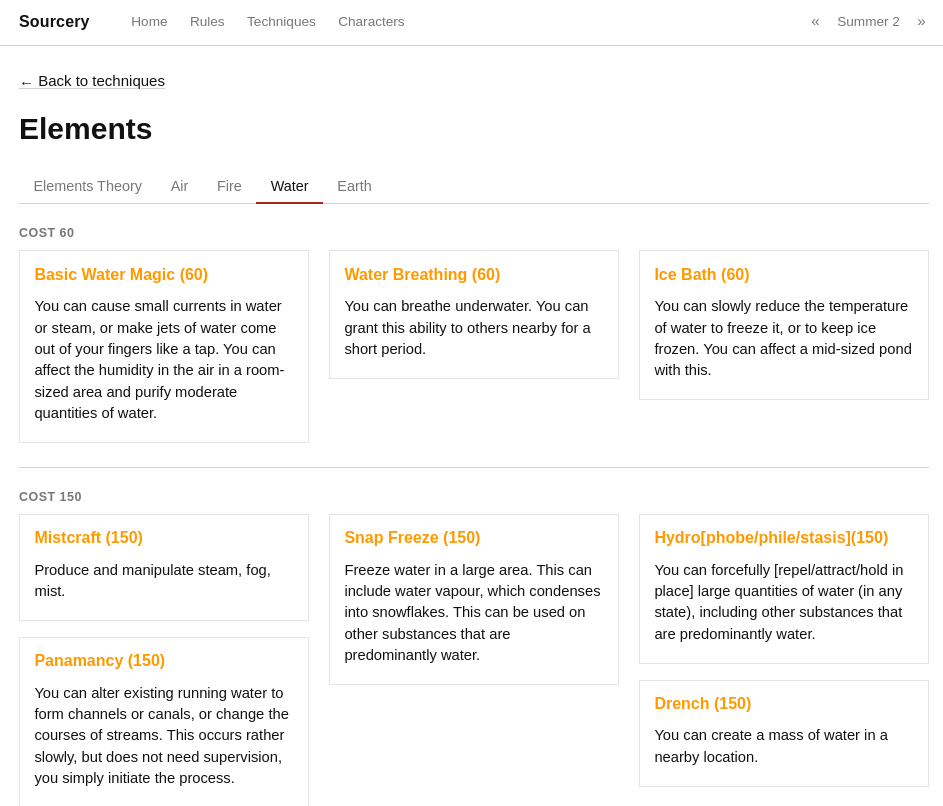
Once we load it in, we can browse these sections in the dashboard:
Now we can use the dashboard to draw a new option for our test character. This will randomly draw from the database based on the rules of the game, filtered and weighted appropriately to the particular character.
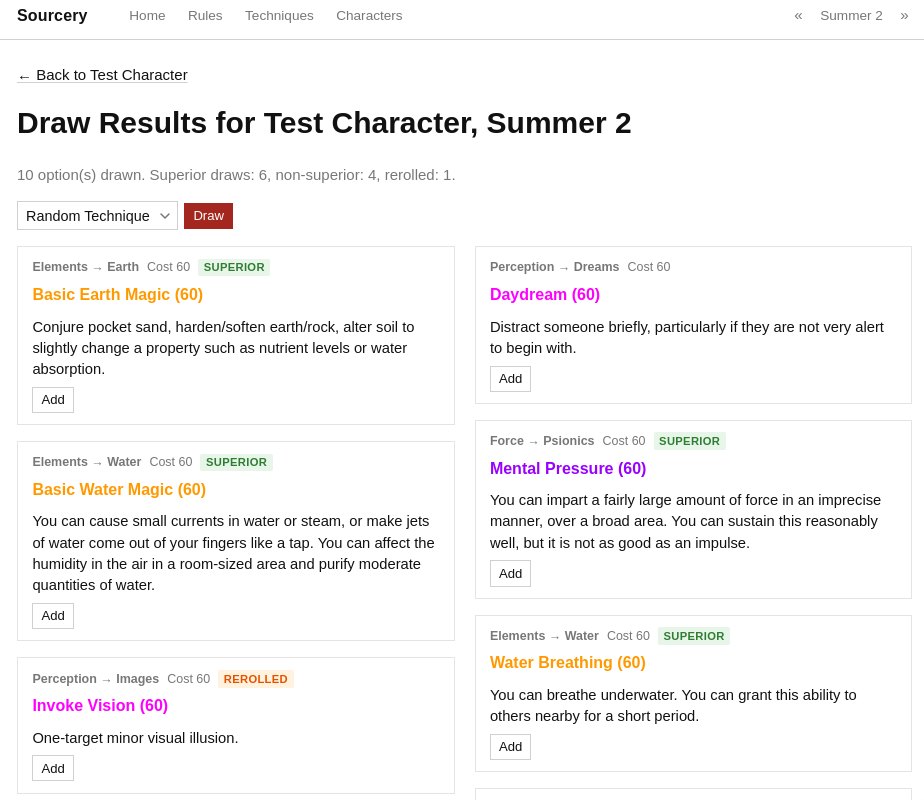
This satisfies all the criteria established in the main rules screen: because this is a fresh character, we only get the lowest cost tier (60), and the weighting for the character's specialisations is applied (we draw more options marked "superior"). We can now click it to add it to the character, storing it in SQLite:
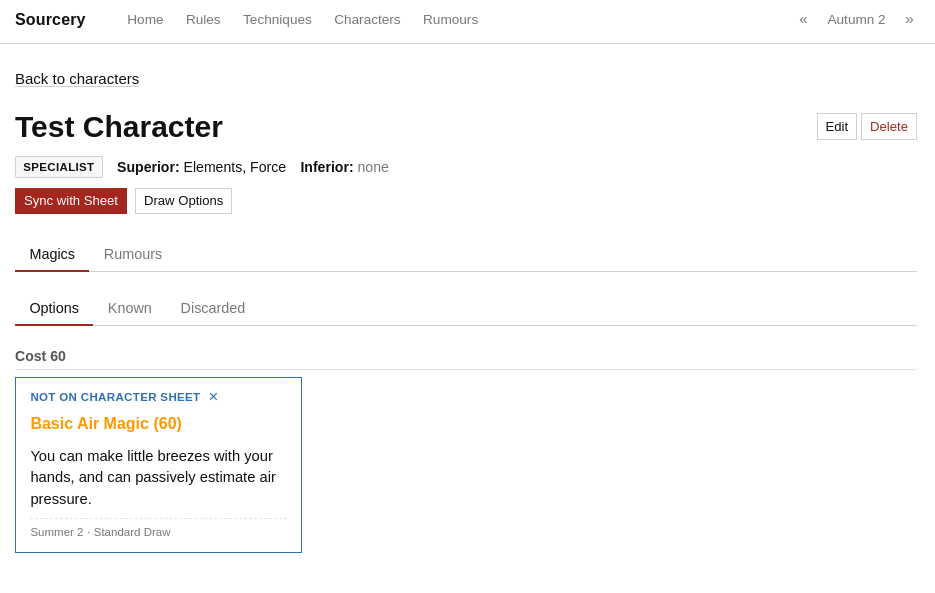
Observe that we can see the provenance of the ability: it was drawn in Summer 2 (which is what the in-game time is set to in the upper right corner of the site) by means of the application's randomiser. We also see an indicator that it is not present in the Google Doc, only in the database. If a section appears in the Doc without being produced by the database (e.g. added by a player), it will correctly track the addition time and tell us it was imported from the sheet in the provenance.
At this point, if we click the ability title, the ability is copied to the clipboard. If I paste it directly here I get it in markdown format:
### Basic Air Magic (60)

You can make little breezes with your hands, and can passively estimate air
pressure.
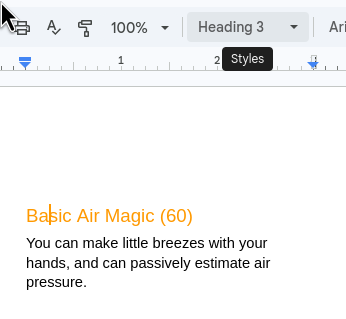
but if I paste it into Google Docs, it uses the reconstructed HTML from gdocs_sections, to recover the original formatting exactly: